
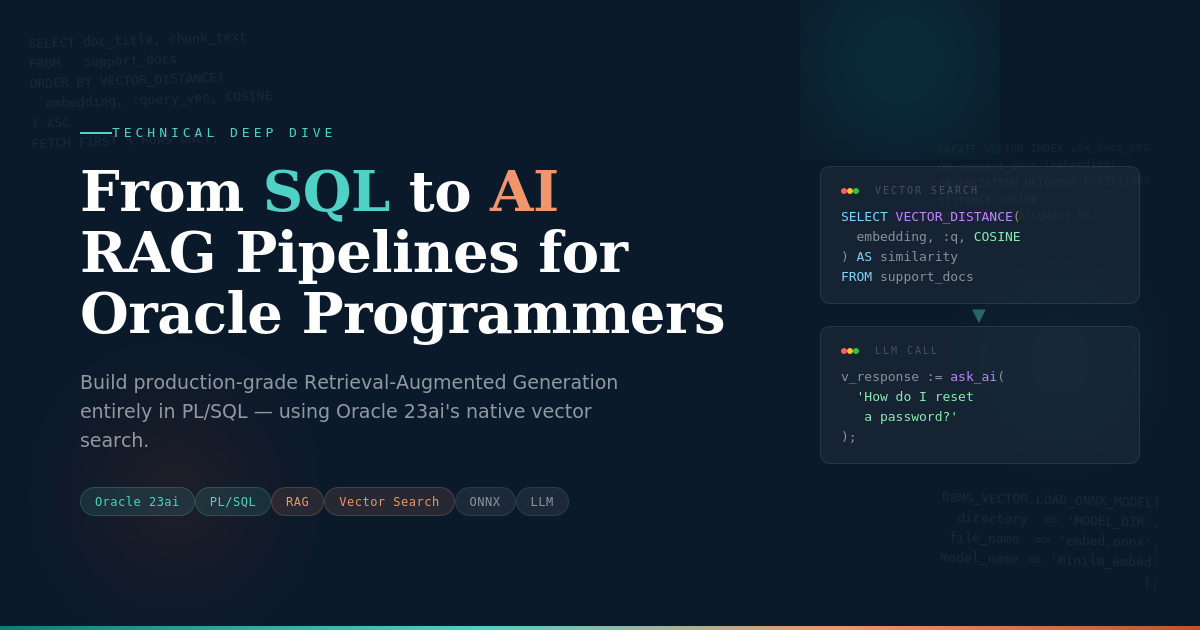
AI for Oracle Professionals
From SQL to AI: How Oracle Programmers Can Build RAG Pipelines Without Leaving the Database
A technical deep dive for Oracle DBAs and PL/SQL developers who want to build production-grade AI — using the tools they already know.
Technical Guide|15 min read|Oracle 23ai & PL/SQL
In This Article
- The Monday Morning That Changed Everything
- What RAG Actually Is (In Database Terms)
- Oracle 23ai’s Vector Capabilities
- Building a RAG Pipeline Step-by-Step
- Performance Tuning the AI Way
- Security and Governance
- What This Means for Your Career
1. The Monday Morning That Changed Everything
“We need to add AI to the customer support portal. The board wants it by Q3.”
If you’re an Oracle developer with a decade or more of experience under your belt, you’ve probably heard some version of this mandate. You’ve spent years mastering PL/SQL, tuning execution plans, designing schemas that survive production at scale. And now someone wants you to bolt on “AI” as if it were a new column in a table.
Here’s the good news: you’re not starting from scratch. The skills you’ve built — writing efficient queries, managing large datasets, understanding how indexes accelerate retrieval — are exactly the foundation that modern AI applications require. The technique at the center of this revolution is called Retrieval-Augmented Generation (RAG), and if you can write a SELECT statement with a WHERE clause, you already understand its core principle.
With Oracle Database 23ai, RAG is no longer something that requires you to abandon your ecosystem for Python notebooks and vector database startups. You can build production-grade AI pipelines using the same Oracle database, the same PL/SQL language, and the same enterprise security model you already know. This article shows you exactly how.
2. What RAG Actually Is (In Database Terms)
Large Language Models like GPT-4 or Claude are impressive, but they have a fundamental limitation: they can only answer based on what they learned during training. Ask about your company’s internal policies, your product catalog, or last quarter’s incident reports, and the LLM will either hallucinate an answer or admit it doesn’t know.
Retrieval-Augmented Generation solves this by adding a retrieval step before the generation step. Think of it this way: instead of asking an analyst to answer from memory alone, you first hand them the relevant files, then ask the question.
In database terms, RAG is remarkably familiar:
- Without RAG: The LLM answers from its training data alone — like querying a stale materialized view that hasn’t been refreshed since 2023.
- With RAG: You run a semantic search against your live data, retrieve the most relevant documents, and pass them as context to the LLM — like executing a fresh query with the latest data before generating a report.
The “retrieval” part relies on vector similarity search. Traditional database queries match exact values or patterns (WHERE status = 'OPEN'). Vector search matches meaning. A query for “customer billing complaints” will find documents about “invoice disputes” and “payment errors” even if those exact words never appear in the query. This is possible because text is converted into numerical representations called embeddings — dense arrays of floating-point numbers that capture semantic meaning.
If you’re comfortable with the concept of a function-based index that transforms data for faster lookup, you already grasp the essence of embeddings. An embedding model transforms text into a vector, and Oracle’s vector index makes similarity search fast — the same way a B-tree index makes range scans fast.
3. Oracle 23ai’s Vector Capabilities
Oracle Database 23ai introduced native support for AI workloads directly within the database engine. This isn’t an add-on or a separate product. It’s built into the core database, which means your vectors live alongside your relational data, protected by the same security, backup, and high-availability infrastructure you already manage.
3.1 The VECTOR Data Type
Oracle 23ai introduces a native VECTOR data type. You can define the dimensionality and precision of your vectors at the column level:
SQL
CREATE TABLE support_docs (
    doc_id       NUMBER GENERATED ALWAYS AS IDENTITY PRIMARY KEY,
    doc_title    VARCHAR2(500),
    chunk_text   CLOB,
    chunk_seq    NUMBER,
    embedding    VECTOR(1536, FLOAT64),  -- 1536 dims for OpenAI ada-002
    created_dt   TIMESTAMP DEFAULT SYSTIMESTAMP
);
The VECTOR(1536, FLOAT64) declaration is analogous to defining NUMBER(10,2) — you’re telling Oracle the shape and precision of the data. The 1536 dimension count matches the output of popular embedding models like OpenAI’s text-embedding-ada-002 or Cohere’s embed-english-v3.0.
3.2 Vector Distance Functions
Oracle provides the VECTOR_DISTANCE() function for computing similarity between vectors. It supports multiple distance metrics:
SQL
-- Cosine similarity (most common for text embeddings)
SELECT doc_title, chunk_text,
       VECTOR_DISTANCE(embedding, :query_vector, COSINE) AS distance
FROM   support_docs
ORDER BY distance ASC
FETCH FIRST 5 ROWS ONLY;
Supported metrics include COSINE, EUCLIDEAN, DOT, and MANHATTAN. For most text-based RAG applications, cosine distance is the standard choice because it measures the angle between vectors rather than their magnitude, making it robust against varying document lengths.
3.3 Vector Indexes
Just as a full-table scan is unacceptable for a high-traffic OLTP query, you don’t want Oracle scanning millions of vectors for every search. Oracle 23ai supports Approximate Nearest Neighbor (ANN) indexes using Hierarchical Navigable Small Worlds (HNSW) and Inverted File (IVF) algorithms:
SQL
-- Create an HNSW index for fast approximate nearest neighbor search
CREATE VECTOR INDEX idx_support_docs_vec
ON support_docs (embedding)
ORGANIZATION NEIGHBOR PARTITIONS
DISTANCE COSINE
WITH TARGET ACCURACY 95;  -- Trade slight accuracy for major speed gains
Think of the TARGET ACCURACY parameter like the trade-off between a full index scan and a skip-scan. At 95% accuracy, the index returns the true top-K results 95% of the time while running orders of magnitude faster than an exact search. For most RAG applications, this trade-off is well worth it.
4. Building a RAG Pipeline Step-by-Step
Let’s build a complete, working RAG pipeline that answers questions about your organization’s internal support documentation. Every component runs inside Oracle.
RAG Pipeline Architecture — Oracle 23ai
1 — User Query
→
2 — Vector Search
VECTOR_DISTANCE()
→
3 — Retrieve
Top-K Chunks
→
4 — Build Prompt
Context + Question
→
5 — LLM Generates
Answer
→
6 — Return Answer
to Application
Green = Oracle 23ai | Red = LLM API | Dark = Application Layer
Step 1: Prepare and Chunk Your Documents
LLMs have finite context windows (think of it as a limited SGA buffer for the model). You can’t pass an entire 200-page manual as context. Instead, you split documents into smaller chunks — typically 500 to 1,000 tokens each — with some overlap to preserve context across boundaries.
PL/SQL
CREATE OR REPLACE PROCEDURE chunk_document(
    p_doc_title  IN VARCHAR2,
    p_full_text  IN CLOB,
    p_chunk_size IN NUMBER DEFAULT 800,
    p_overlap    IN NUMBER DEFAULT 100
) AS
    v_text_len  NUMBER := DBMS_LOB.GETLENGTH(p_full_text);
    v_offset    NUMBER := 1;
    v_seq       NUMBER := 1;
    v_chunk     CLOB;
BEGIN
    WHILE v_offset <= v_text_len LOOP
        v_chunk := DBMS_LOB.SUBSTR(p_full_text, p_chunk_size, v_offset);

        INSERT INTO support_docs (doc_title, chunk_text, chunk_seq)
        VALUES (p_doc_title, v_chunk, v_seq);

        v_offset := v_offset + p_chunk_size - p_overlap;
        v_seq := v_seq + 1;
    END LOOP;
    COMMIT;
END;
/
Step 2: Generate Embeddings
Oracle 23ai can generate embeddings natively using ONNX models imported into the database, or you can call external APIs. Here’s the in-database approach using VECTOR_EMBEDDING():
PL/SQL
-- Load an ONNX embedding model into the database
BEGIN
    DBMS_VECTOR.LOAD_ONNX_MODEL(
        directory  => 'MODEL_DIR',
        file_name  => 'all-MiniLM-L6-v2.onnx',
        model_name => 'minilm_embed'
    );
END;
/

-- Generate embeddings for all un-embedded documents
UPDATE support_docs
SET    embedding = VECTOR_EMBEDDING(
           minilm_embed USING chunk_text AS data
       )
WHERE  embedding IS NULL;

COMMIT;
The VECTOR_EMBEDDING() SQL function runs the ONNX model directly inside the database process — no external API calls, no network latency, no data leaving your security perimeter. For Oracle shops with strict data residency requirements, this is a game-changer.
Step 3: Semantic Search with PL/SQL
When a user asks a question, you convert it to a vector and find the most semantically similar document chunks:
PL/SQL
CREATE OR REPLACE FUNCTION search_similar_docs(
    p_question  IN VARCHAR2,
    p_top_k     IN NUMBER DEFAULT 5
) RETURN SYS_REFCURSOR AS
    v_query_vec  VECTOR(1536, FLOAT64);
    v_results    SYS_REFCURSOR;
BEGIN
    -- Generate embedding for the user's question
    SELECT VECTOR_EMBEDDING(minilm_embed USING p_question AS data)
    INTO   v_query_vec
    FROM   DUAL;

    -- Retrieve top-K most similar chunks
    OPEN v_results FOR
        SELECT doc_title, chunk_text, chunk_seq,
               VECTOR_DISTANCE(embedding, v_query_vec, COSINE) AS similarity
        FROM   support_docs
        ORDER BY VECTOR_DISTANCE(embedding, v_query_vec, COSINE) ASC
        FETCH FIRST p_top_k ROWS ONLY;

    RETURN v_results;
END;
/
Step 4: Call the LLM and Return an Answer
The final step assembles the retrieved context and user question into a prompt, sends it to an LLM, and returns the answer. Here we use DBMS_CLOUD to call OCI Generative AI:
PL/SQL
CREATE OR REPLACE FUNCTION ask_ai(
    p_question IN VARCHAR2
) RETURN CLOB AS
    v_context    CLOB := '';
    v_prompt     CLOB;
    v_response   CLOB;
    v_doc_title  VARCHAR2(500);
    v_chunk      CLOB;
    v_sim        NUMBER;
    v_cursor     SYS_REFCURSOR;
BEGIN
    -- Step 1: Retrieve relevant context
    v_cursor := search_similar_docs(p_question, 5);
    LOOP
        FETCH v_cursor INTO v_doc_title, v_chunk, v_sim;
        EXIT WHEN v_cursor%NOTFOUND;
        v_context := v_context || '--- ' || v_doc_title
                     || ' ---' || CHR(10) || v_chunk || CHR(10);
    END LOOP;
    CLOSE v_cursor;

    -- Step 2: Build the prompt
    v_prompt := 'You are a helpful support assistant. Answer the '
        || 'question based ONLY on the context below.' || CHR(10)
        || 'CONTEXT:' || CHR(10) || v_context
        || 'QUESTION: ' || p_question
        || CHR(10) || 'ANSWER:';

    -- Step 3: Call the LLM via OCI Generative AI
    v_response := DBMS_CLOUD.SEND_REQUEST(
        credential_name => 'OCI_AI_CRED',
        uri => 'https://inference.generativeai.oci.oraclecloud.com'
               || '/20231130/actions/chat',
        method => 'POST',
        body   => JSON_OBJECT(
            'model' VALUE 'cohere.command-r-plus',
            'messages' VALUE JSON_ARRAY(
                JSON_OBJECT('role' VALUE 'user',
                            'content' VALUE v_prompt)
            )
        )
    );

    RETURN JSON_VALUE(v_response, '$.choices[0].message.content');
END;
/
Now any application can call SELECT ask_ai('How do I reset a customer password?') FROM DUAL and receive an AI-generated answer grounded in your actual documentation — not hallucinated from general training data.
5. Performance Tuning the AI Way
Oracle developers know that performance isn’t an afterthought — it’s a discipline. RAG pipelines have their own tuning parameters, and they map surprisingly well to concepts you already know.
5.1 Chunk Size ≈ Block Size Decisions
Just as choosing between 8K and 16K database block sizes involves trade-offs between I/O efficiency and wasted space, chunk size determines the granularity of your retrieval. Smaller chunks (200–400 tokens) give more precise retrieval but require more chunks to capture full context. Larger chunks (800–1,200 tokens) provide more surrounding context but may dilute relevance. Start with 500–800 tokens and test with your actual data.
5.2 Vector Index Types ≈ B-tree vs. Bitmap Trade-offs
HNSW indexes excel at low-latency, high-throughput queries — similar to how B-tree indexes dominate OLTP workloads. IVF indexes are better for batch processing scenarios where you can tolerate slightly higher latency but need lower memory overhead — analogous to how bitmap indexes shine in analytical workloads. For most RAG applications, HNSW is the right choice.
5.3 Embedding Model Selection ≈ Choosing the Right Optimizer Hint
Different embedding models produce different quality results, just as different optimizer hints can dramatically change query plans. Smaller models like all-MiniLM-L6-v2 (384 dimensions) are fast and efficient — the equivalent of a nested loop join on a small dataset. Larger models like text-embedding-3-large (3,072 dimensions) capture more nuance but consume more storage and compute — the hash join on a massive table. Benchmark with your specific data before committing.
5.4 Practical Tuning Tips
- Monitor vector index quality: Use
DBMS_VECTOR.INDEX_ACCURACY_QUERY()to check if your target accuracy holds with production data volumes. - Partition your vector table: If documents belong to different departments or categories, partition by category so queries only scan relevant partitions — just like partition pruning in traditional Oracle.
- Cache frequent embeddings: Use Oracle’s result cache for frequently asked questions:
/*+ RESULT_CACHE */on your similarity search query. - Measure retrieval quality: Track whether the top-5 retrieved chunks actually contain the answer. Poor retrieval quality is almost always a chunk-size or embedding-model problem, not an LLM problem.
6. Security and Governance
This is where an in-database RAG approach fundamentally outshines the “stitch together five cloud services” alternative. Oracle’s existing security infrastructure applies directly to your AI data.
6.1 Row-Level Security with Virtual Private Database (VPD)
Imagine your support documentation contains content for different customer tiers. With VPD, you can ensure that a query from a “Basic” tier user never retrieves chunks from “Enterprise” documentation — even at the vector search level:
PL/SQL
CREATE OR REPLACE FUNCTION doc_security_policy(
    p_schema VARCHAR2, p_table VARCHAR2
) RETURN VARCHAR2 AS
BEGIN
    RETURN 'access_tier <= SYS_CONTEXT(''APP_CTX'', ''USER_TIER'')';
END;
/

BEGIN
    DBMS_RLS.ADD_POLICY(
        object_schema   => 'AI_APP',
        object_name     => 'SUPPORT_DOCS',
        policy_name     => 'DOC_TIER_POLICY',
        function_schema => 'AI_APP',
        policy_function => 'DOC_SECURITY_POLICY'
    );
END;
/
This isn’t a feature you get with standalone vector databases. The fact that your vectors, your relational data, and your security policies coexist in the same engine is a massive advantage for regulated industries.
6.2 Auditing and Compliance
Oracle’s Unified Auditing captures every AI query just like any other database operation. You can track who asked what question, which documents were retrieved, and when — essential for compliance in healthcare, finance, and government environments.
6.3 Data Encryption
Transparent Data Encryption (TDE) protects your vector embeddings at rest. Combined with Oracle’s native network encryption, your embeddings never leave the security perimeter in plaintext. This eliminates the risk of embedding exfiltration — a real concern when embeddings can sometimes be reverse-engineered to reveal the original text.
7. What This Means for Your Career
There’s a narrative in the industry that AI will replace database professionals. The reality is the opposite. Every AI application needs data infrastructure: storage, retrieval, security, reliability, and performance. These are the skills you’ve spent your career building.
The developers who will be most valuable in the next five years aren’t those who abandon their database expertise for a crash course in PyTorch. They’re the ones who extend their deep Oracle knowledge into the AI domain — who can build a RAG pipeline that isn’t just a demo, but a production system with proper security, backup, monitoring, and performance guarantees.
You already know how to make data systems reliable. AI needs that more than anything right now.
Start with a small proof of concept: load a set of internal documents into Oracle 23ai, generate embeddings, and build a simple question-answering interface using the PL/SQL patterns in this article. Once you see it work, you’ll realize that the gap between “Oracle developer” and “AI engineer” isn’t a canyon — it’s a bridge you’re already halfway across.
Key Takeaways
- RAG is fundamentally a retrieval problem — a concept Oracle developers already master. It combines semantic search with LLM generation to produce grounded, accurate AI answers.
- Oracle 23ai’s native VECTOR data type, VECTOR_DISTANCE() function, and ANN indexes bring AI workloads into the database engine — no external vector databases required.
- You can build an end-to-end RAG pipeline entirely in PL/SQL: chunking, embedding generation (via ONNX models), similarity search, and LLM API calls.
- In-database RAG inherits Oracle’s enterprise security (VPD, TDE, Unified Auditing) — a critical advantage over patchwork architectures for regulated industries.
- Oracle tuning skills transfer directly: chunk size parallels block size decisions, vector index types mirror B-tree vs. bitmap trade-offs, and embedding model selection is like choosing optimizer strategies.
Suggested Follow-Up Articles
Fine-Tuning vs. RAG: When Your Oracle Data Needs a Custom Model
A decision framework for Oracle teams choosing between RAG, fine-tuning, and hybrid approaches, with cost and performance benchmarks.
Building Conversational Memory in Oracle 23ai: Multi-Turn AI Chat with PL/SQL
Extend the RAG pipeline to support multi-turn conversations, storing chat history in Oracle tables and managing context window limits programmatically.
Oracle Meets LangChain: Bridging PL/SQL and Python AI Frameworks
A practical guide for Oracle teams who want to integrate Python-based AI orchestration tools while keeping Oracle as the authoritative data layer.
———
Your SQL skills aren’t a legacy — they’re a launchpad.